

1. The mental model you actually need
Forget "server vs. client" as a location distinction. Think of it as a bundle membership distinction.
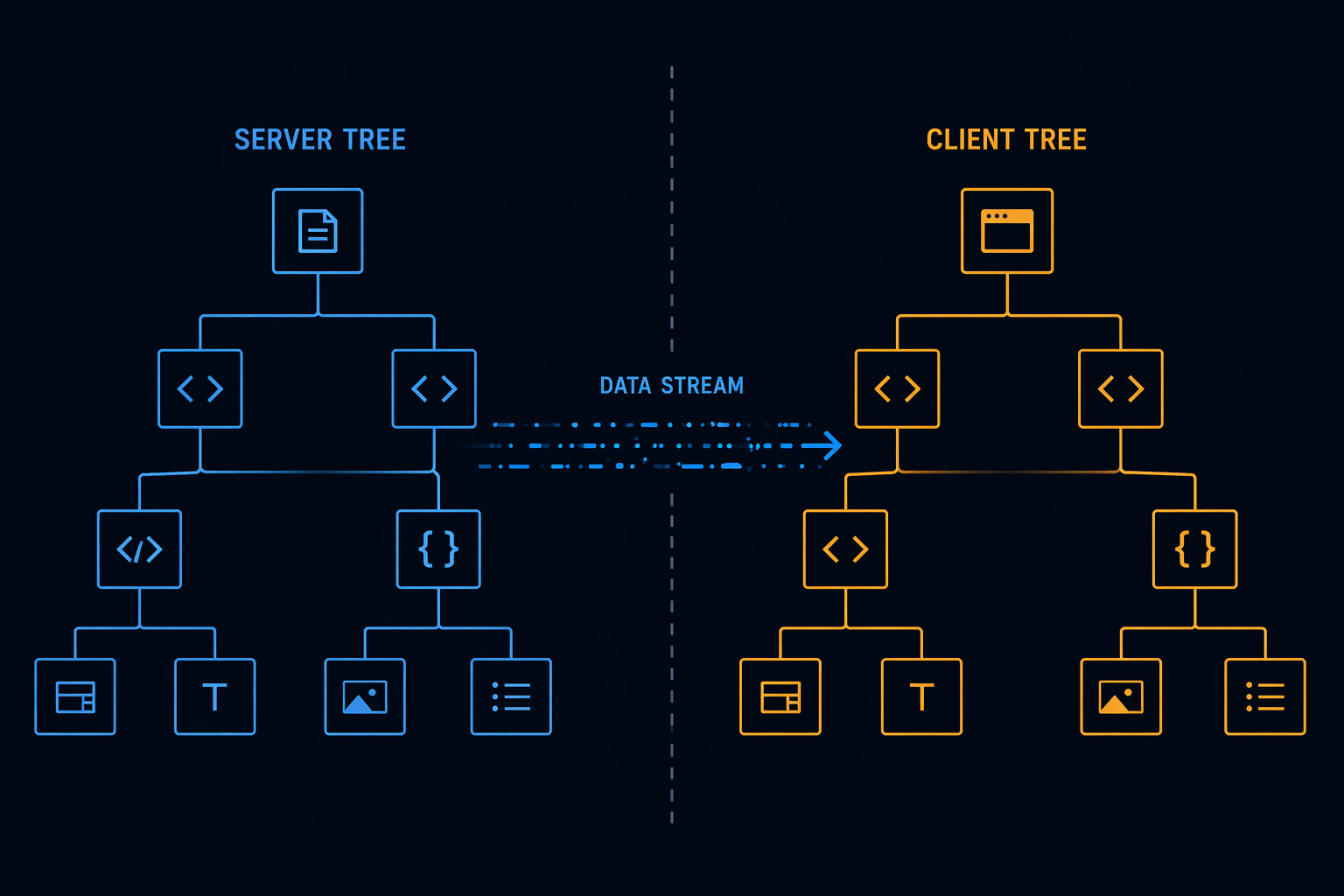
React now operates with two component trees that get reconciled together:
- The server tree executes once, at request time. Its output is serialized into a wire format, not HTML, and streamed to the client.
- The client tree ships JavaScript to the browser and behaves like React always has.
Server Components live only in the server tree. They never become JavaScript in your bundle. They can async/await directly, read databases, access secrets and none of that code ever touches the client.
That part hasn't changed. What has changed is how you access route data inside those components.
2. Params are now Promises and this breaks most tutorials
Starting in Next.js 15, and enforced fully in Next.js 16, params and searchParams are asynchronous Promises. Synchronous destructuring, the pattern you'll find in 90% of existing tutorials, now throws warnings in 15 and hard errors in 16.
Here's what the old pattern looks like, and why you can't write it anymore:
// ❌ Next.js 16 — synchronous params access throws a runtime error
export default async function PostPage({ params }: { params: { slug: string } }) {
  const post = await db.query.posts.findFirst({
    where: (posts, { eq }) => eq(posts.slug, params.slug), // params.slug errors here
  });
  // ...
}
The correct pattern awaits params before touching any of its properties:
// app/posts/[slug]/page.tsx
// ✅ Next.js 16 — params resolved as a Promise first

import { db } from "@/lib/db";
import { notFound } from "next/navigation";

interface PageProps {
  params: Promise<{ slug: string }>;
  searchParams: Promise<{ page?: string }>;
}

export default async function PostPage({ params, searchParams }: PageProps) {
  const { slug } = await params;
  const { page = "1" } = await searchParams;

  const post = await db.query.posts.findFirst({
    where: (posts, { eq }) => eq(posts.slug, slug),
    with: { author: true, tags: true },
  });

  if (!post) notFound();

  return (
    <article>
      <h1>{post.title}</h1>
      <p>By {post.author.name} · Page {page}</p>
      <PostContent content={post.content} />
    </article>
  );
}
Two things are worth noting here. First, both params and searchParams are typed as Promise<...> not plain objects. Second, you can await them independently, which means Next.js can resolve them in parallel if your runtime supports it. Don't chain them unnecessarily.
The same rule applies to Metadata APIs. If you generate dynamic metadata using generateMetadata, params must be awaited there too:
// ✅ Next.js 16 — async params in generateMetadata
export async function generateMetadata({ params }: PageProps) {
  const { slug } = await params;

  const post = await db.query.posts.findFirst({
    where: (posts, { eq }) => eq(posts.slug, slug),
    columns: { title: true, excerpt: true },
  });

  if (!post) return {};

  return {
    title: post.title,
    description: post.excerpt,
  };
}
3. The wire format still isn't HTML and that still matters
RSCs do not produce HTML. They produce a React-specific serialization payload that looks roughly like this:
["$","article",null,{"children":[
  ["$","h1",null,{"children":"Understanding RSCs"}],
  ["$","$L1",null,{"content":"..."}]
]}]
That $L1 reference is a Client Component boundary. The server tree signals "there's a client component here" and the client picks it up, hydrates it, and wires in interactivity. This is what makes RSCs composable, they share a single React tree with a clean boundary protocol between them, not two separate rendering systems bolted together.
4. Client Component boundaries: what actually crosses the wire
You introduce a Client Component with "use client" at the top of a file. Everything that component imports becomes client-side JavaScript. The critical mental model:
"use client"doesn't mean "only runs on the client." It means "this is the root of a client bundle subtree."
Here's a correctly structured interactive component that receives serialized props from a Server Component:
// components/like-button.tsx
"use client";

import { useState } from "react";

interface Props {
  initialCount: number;
  postId: string;
}

export function LikeButton({ initialCount, postId }: Props) {
  const [count, setCount] = useState(initialCount);
  const [liked, setLiked] = useState(false);

  const handleLike = async () => {
    if (liked) return;
    setLiked(true);
    setCount((prev) => prev + 1);
    await fetch(`/api/posts/${postId}/like`, { method: "POST" });
  };

  return (
    <button onClick={handleLike} aria-pressed={liked}>
      {liked ? "Liked" : "Like"} · {count}
    </button>
  );
}
The server fetches real data; the client component owns state and events. That division of responsibility is the entire RSC value proposition.
5. The constraint matrix: what can cross the boundary
This is where most developers hit confusion. Props crossing the RSC boundary must be serializable. Functions aren't.
// ❌ Functions aren't serializable — this breaks at the RSC boundary
<ClientComponent onAction={() => console.log("clicked")} />

// ✅ Primitives and plain objects serialize cleanly
<ClientComponent label="Submit" initialData={{ id: 1, name: "Aba" }} />
The escape hatch that most tutorials miss: you can pass a Server Component as children to a Client Component, because children are resolved server-side before the boundary is crossed.
// ✅ ServerSidebar is fully resolved before ClientShell receives it
<ClientShell>
  <ServerSidebar />
</ClientShell>
This pattern lets you keep Server Components deep in a tree even when a parent is a Client Component, which is exactly how you avoid accidentally promoting server-only modules into the client bundle.
6. When to use each
Signal | Server Component | Client Component |
|---|---|---|
Fetches data from DB or external API | Yes | NO |
Uses | No | Yes |
Accesses browser APIs ( | NO | Yes |
Contains secrets or sensitive logic | Yes | NO |
Responds to user interaction | No | Yes |
Heavy dependency to keep out of the bundle | Yes | NO |
Needs | No | Yes |
Reads async route params ( | Yes (Awaited) | NO |
The default in the App Router is Server Component. You opt into client rendering explicitly. That default is correct, it keeps your bundle lean unless you deliberately need interactivity.
7. The gotcha that will cost you time
Importing a Client Component into a Server Component works fine. The reverse silently breaks things:
// ❌ Importing a Server Component from inside a Client Component
"use client";
import { ServerWidget } from "./server-widget"; // React will promote this to client — silently

// ✅ Pass it as children instead
"use client";
export function ClientShell({ children }: { children: React.ReactNode }) {
  return <div className="shell">{children}</div>;
}

// In a Server Component above:
<ClientShell>
  <ServerWidget />
</ClientShell>
React either throws or silently ships server-only code to the browser. Neither outcome is one you want to debug in production.
TL;DR
- In Next.js 15+,
paramsandsearchParamsare Promises, await them before accessing any property. Synchronous access throws in Next.js 16. - The same async requirement applies to
generateMetadata. - RSCs don't produce HTML, they produce a serialized React tree. Client components are referenced at boundaries, not inlined.
"use client"marks a subtree boundary, not a single component.- Server Components own data fetching. Client Components own state, events, and browser APIs.
- Pass Server Components as
childreninto Client Components instead of importing server modules into client files.